Product
The full walkthrough - every part of the workflow.
FaceGate moves from a consent gate through enrolment, scanning, classification, human-in-the-loop review, obfuscation, threshold tuning, and an audit trail - every step on the device.
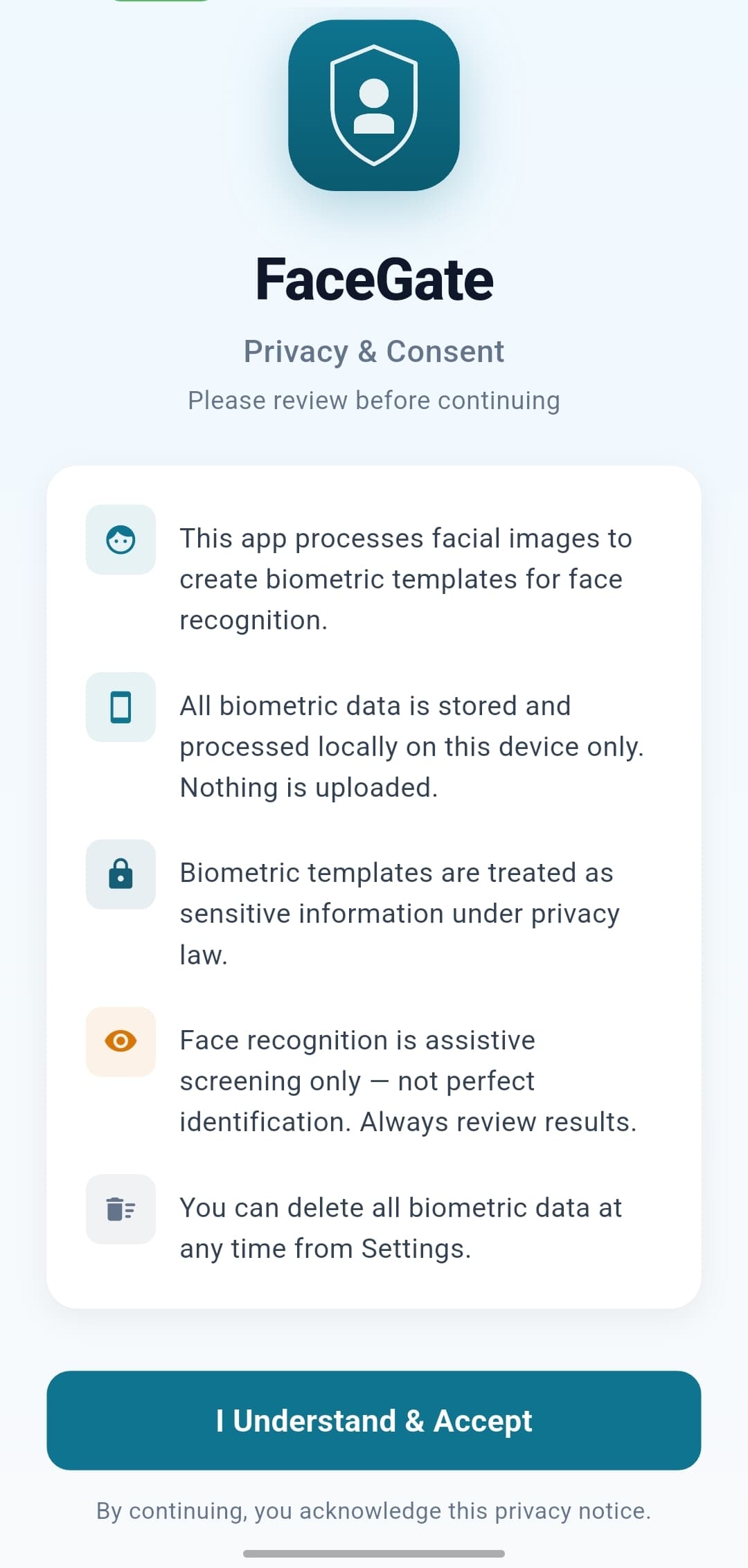
Privacy by design
Transparent from the very first tap.
On-device only - Biometric data never leaves the phone.
Plain-language disclosure - Users see exactly what's processed, and why.
Always reversible - All biometric data can be wiped from Settings at any time.
Screening, not judging - Recognition is a checking aid; the final call is always human.
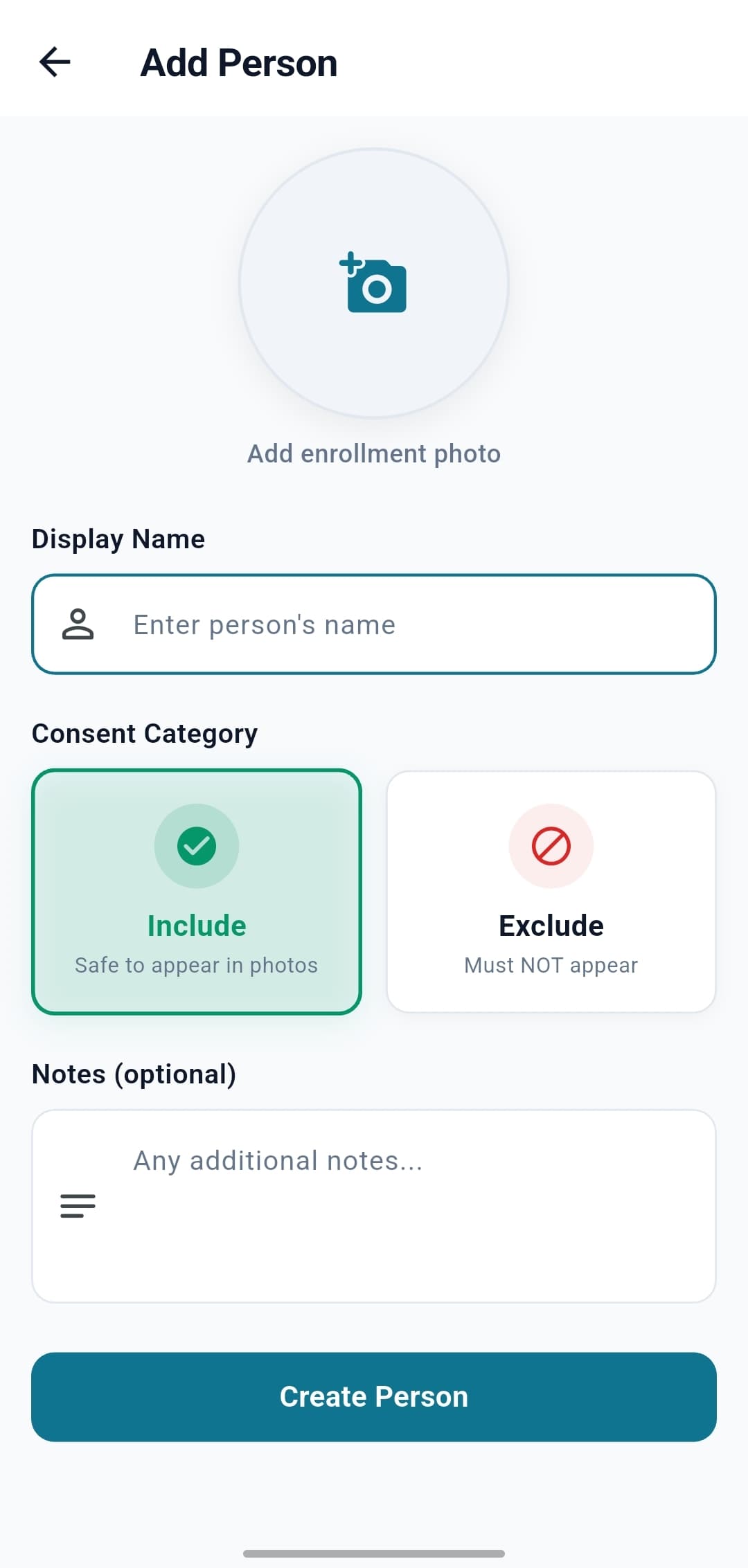
Building the consent list
Add people in seconds. Two categories do all the work.
Include - People who are cleared to appear in published photos.
Exclude - People who must not appear in published photos.
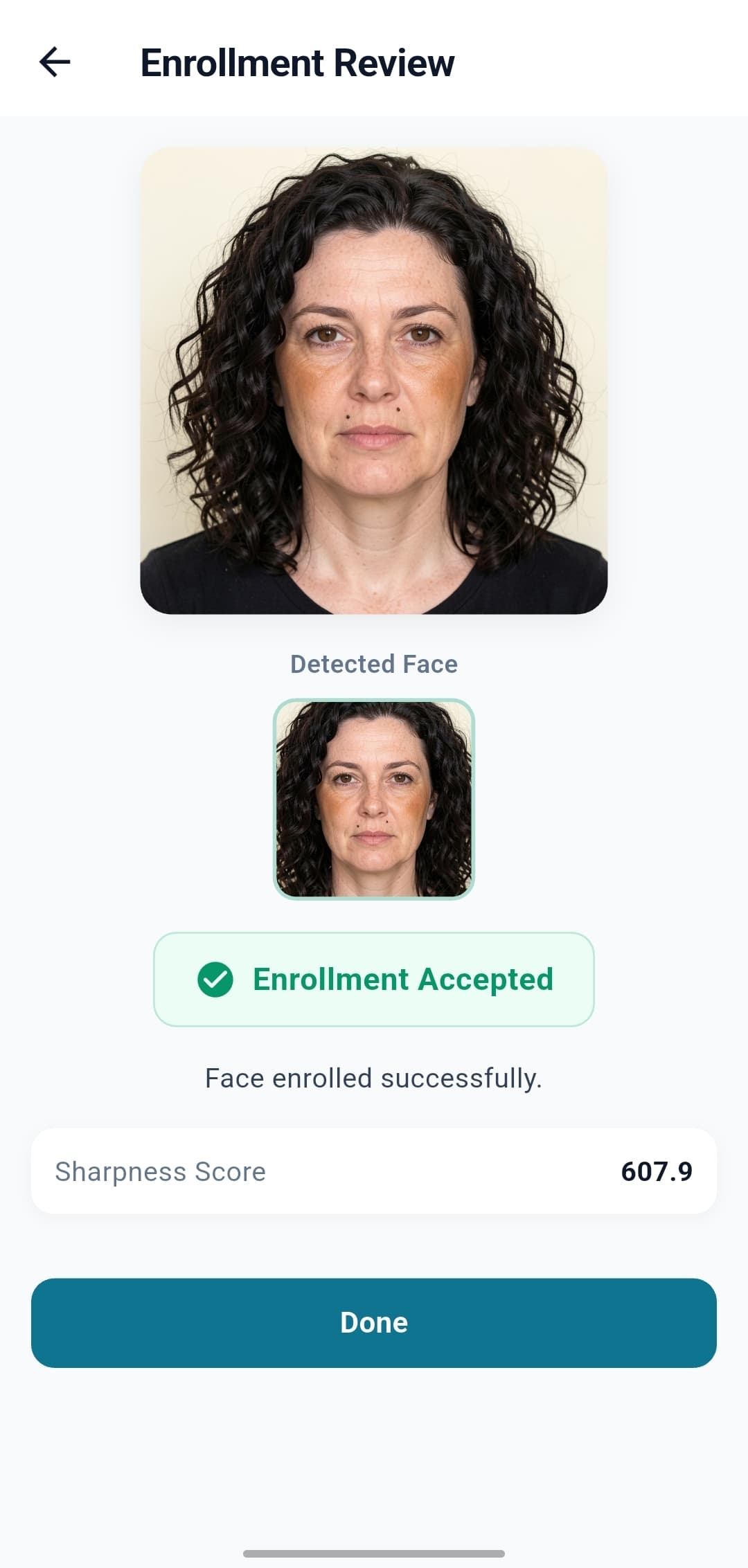
Quality checks - The app rejects blurry photos or angles that won't match well.
One photo to start - One clear enrolment photo is enough. Optional additional reference photos can reinforce recognition accuracy over time.
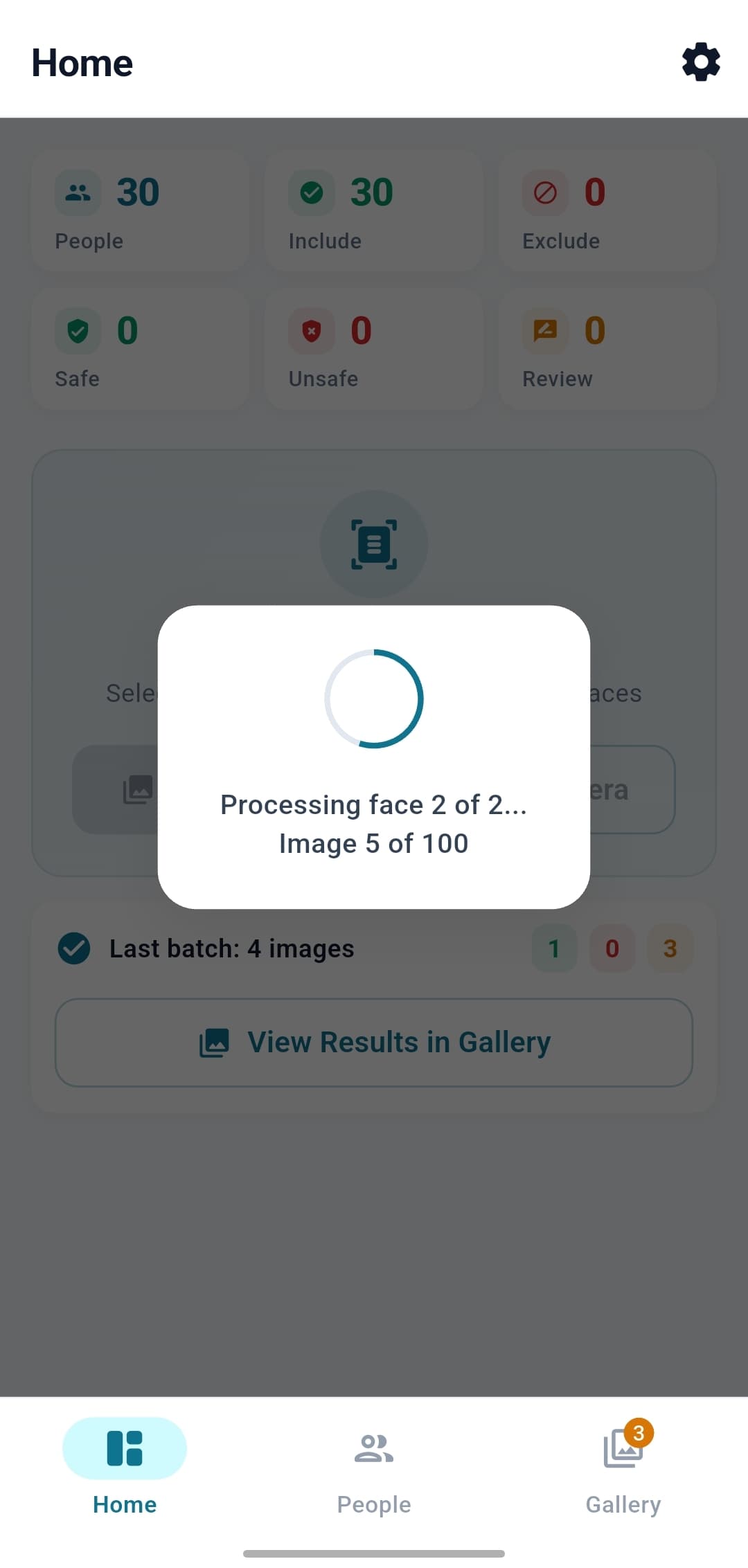
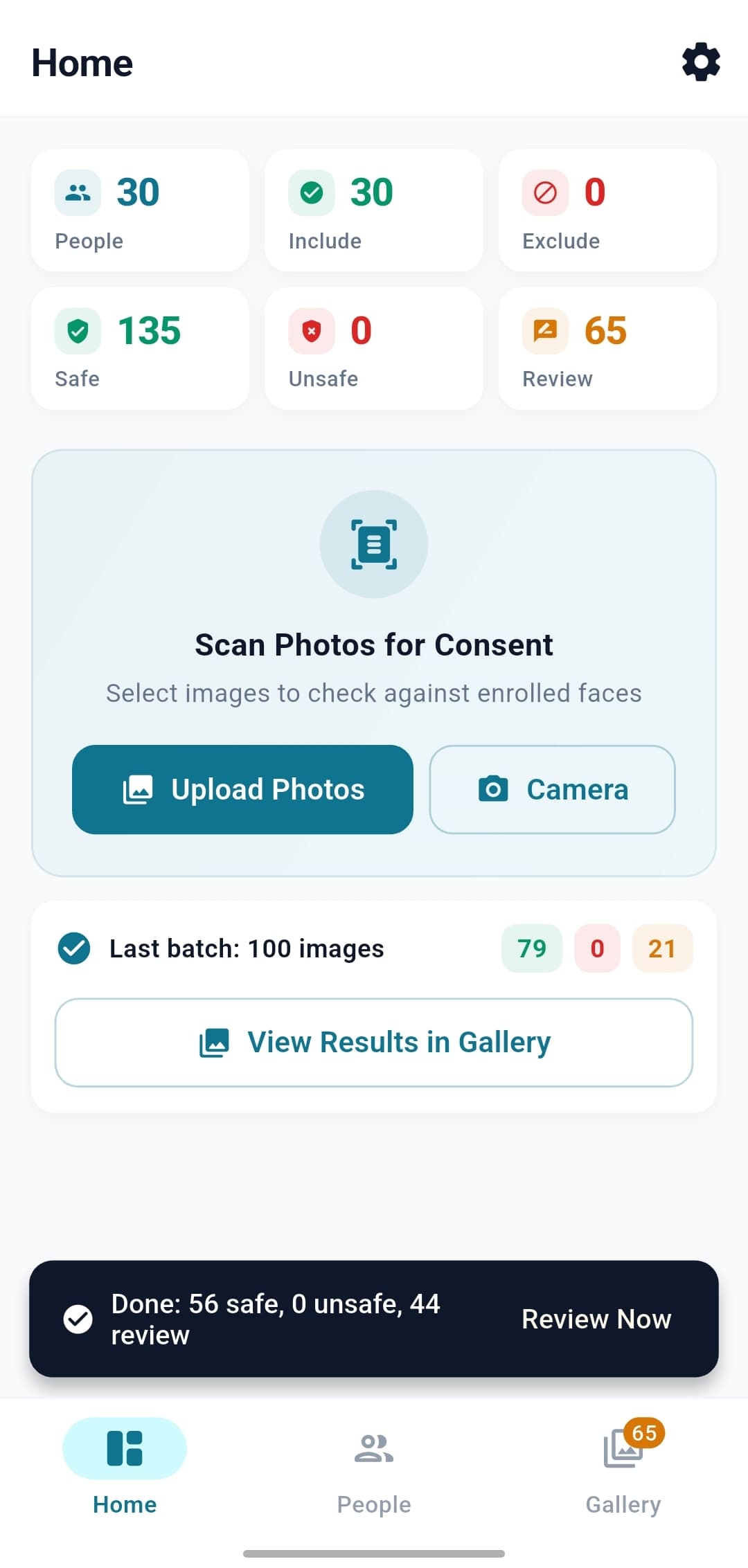
Scan a batch
Select the day's photos. Get a verdict per photo.
Gallery or camera - Pick an existing batch, or capture live.
Live progress - See it work face-by-face, image-by-image.
Instant summary - Safe / Unsafe / Review counts after every run.
Works offline - No internet, no cloud, no setup outside the app.
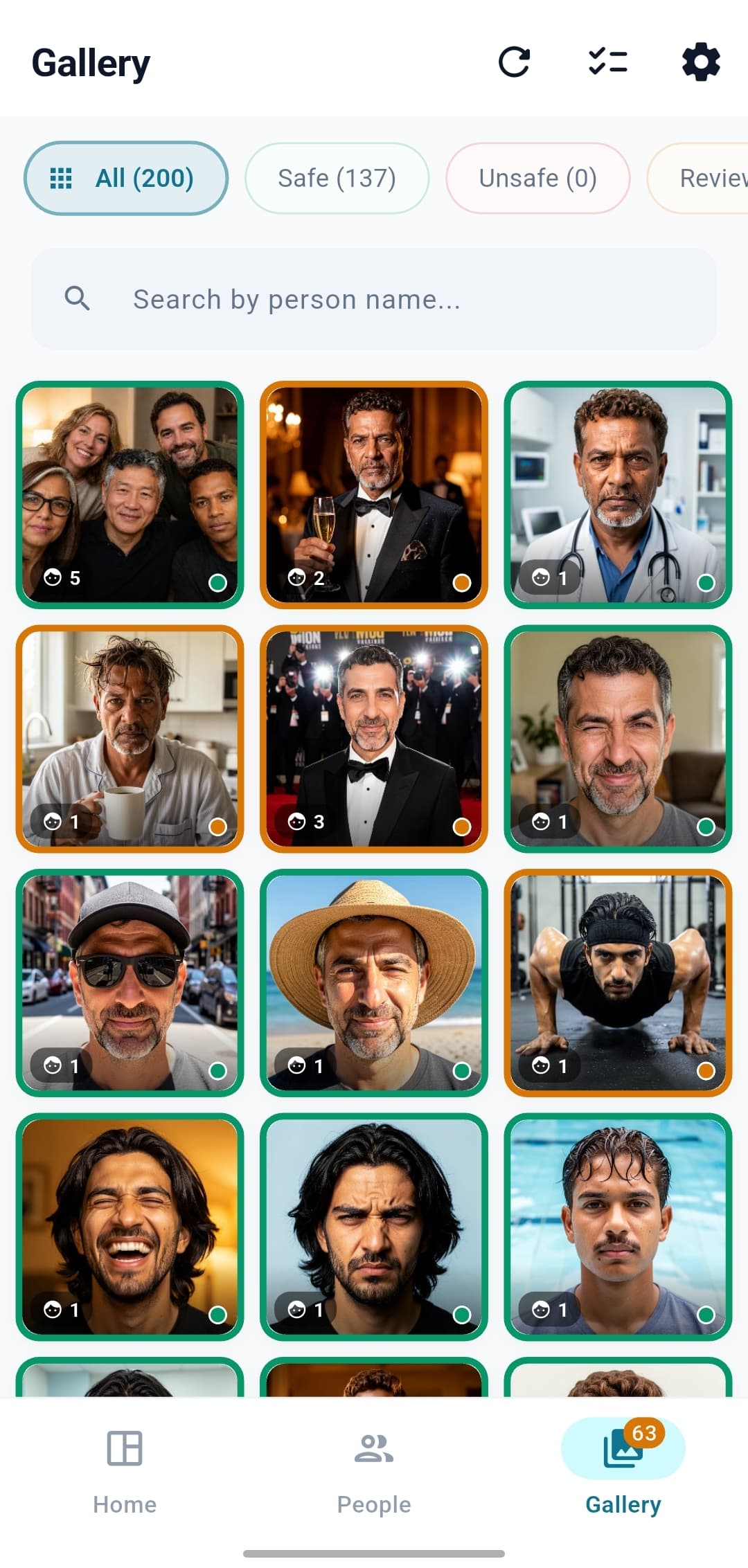
The verdict
Three buckets. One clear decision per photo.
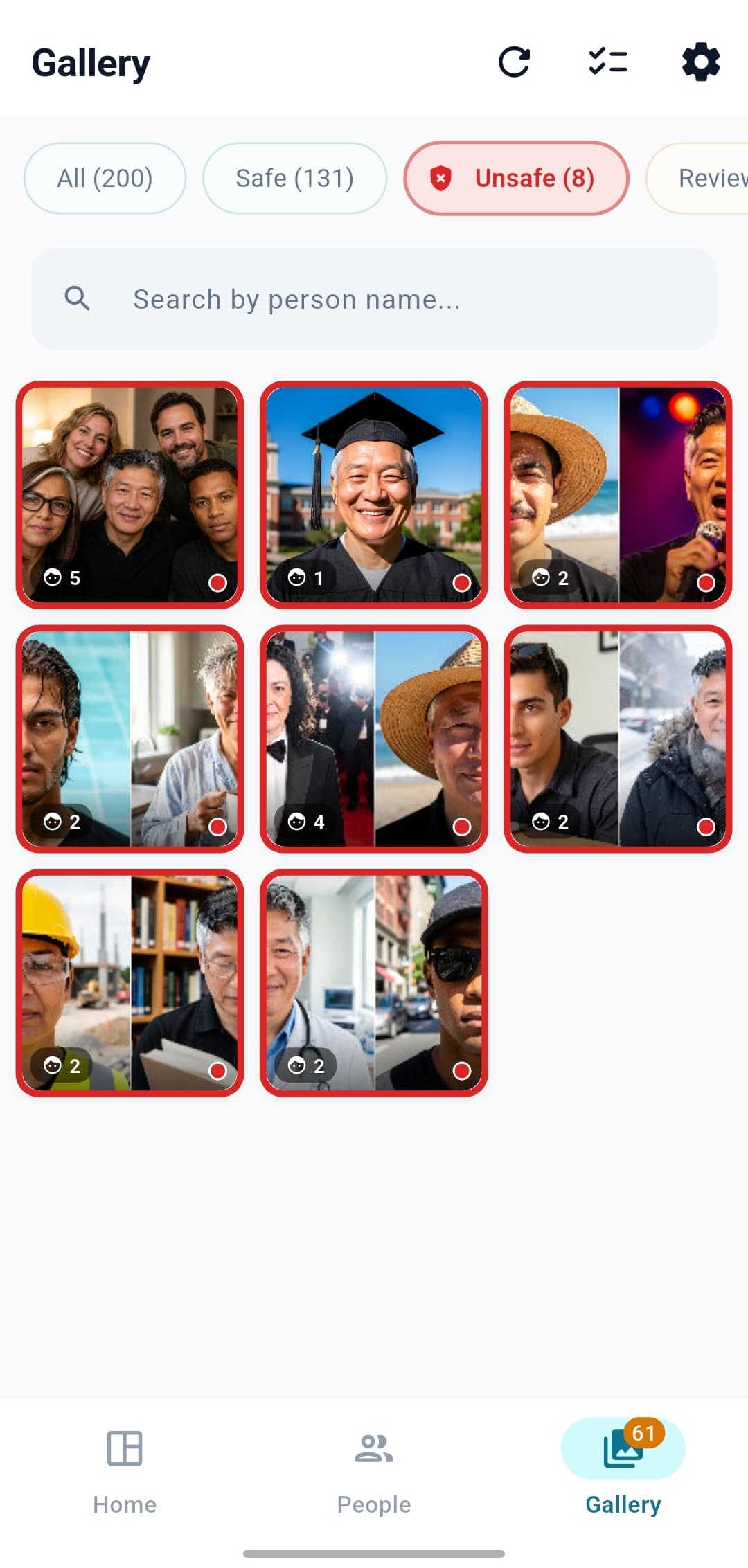
Safe - Only consented (Include) faces detected.
Unsafe - At least one Excluded person was confidently recognised.
Review - A face is uncertain or unknown - flagged for a human to look at.
Color-coded - Green / red / amber. Readable at a glance, even from across a desk.
Review when it counts
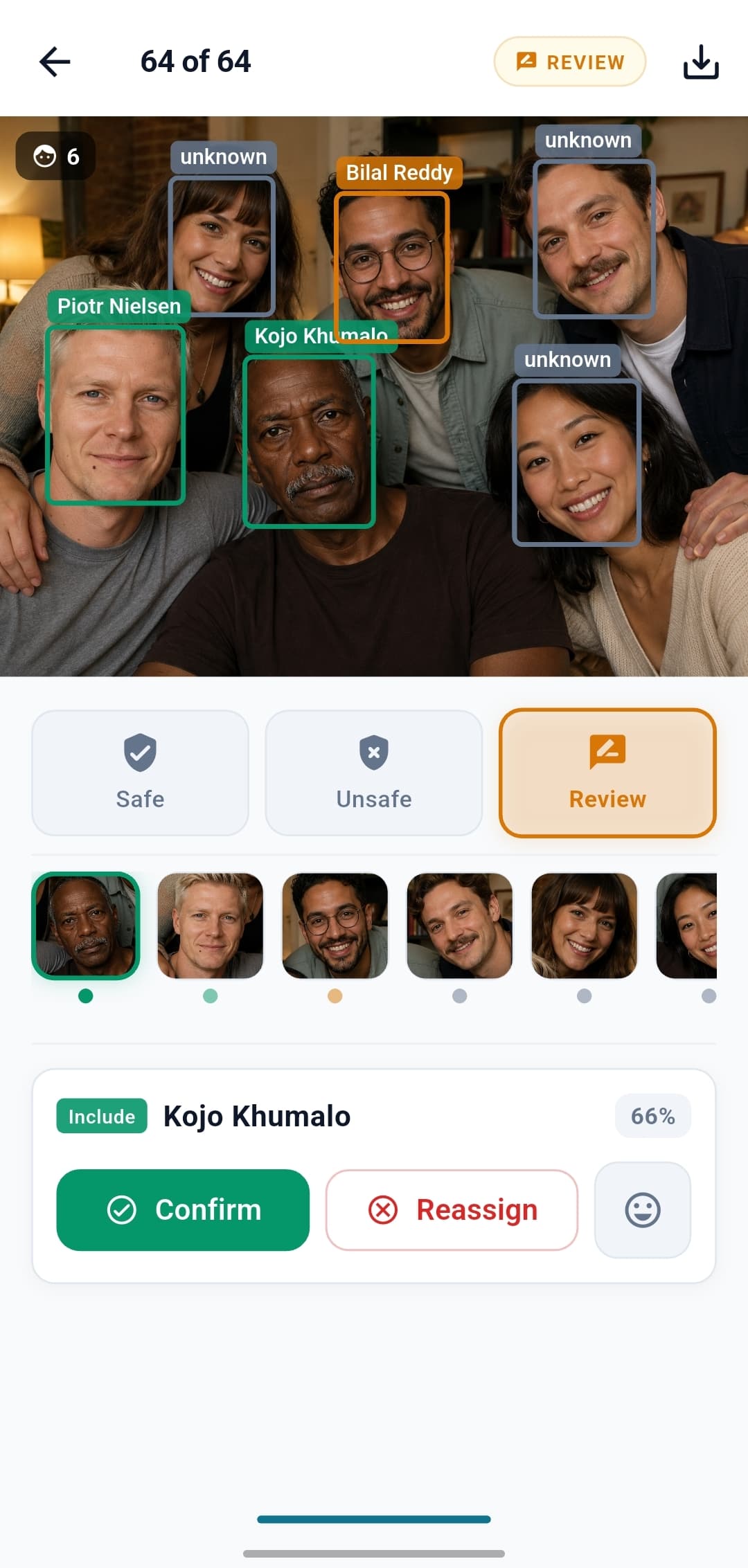
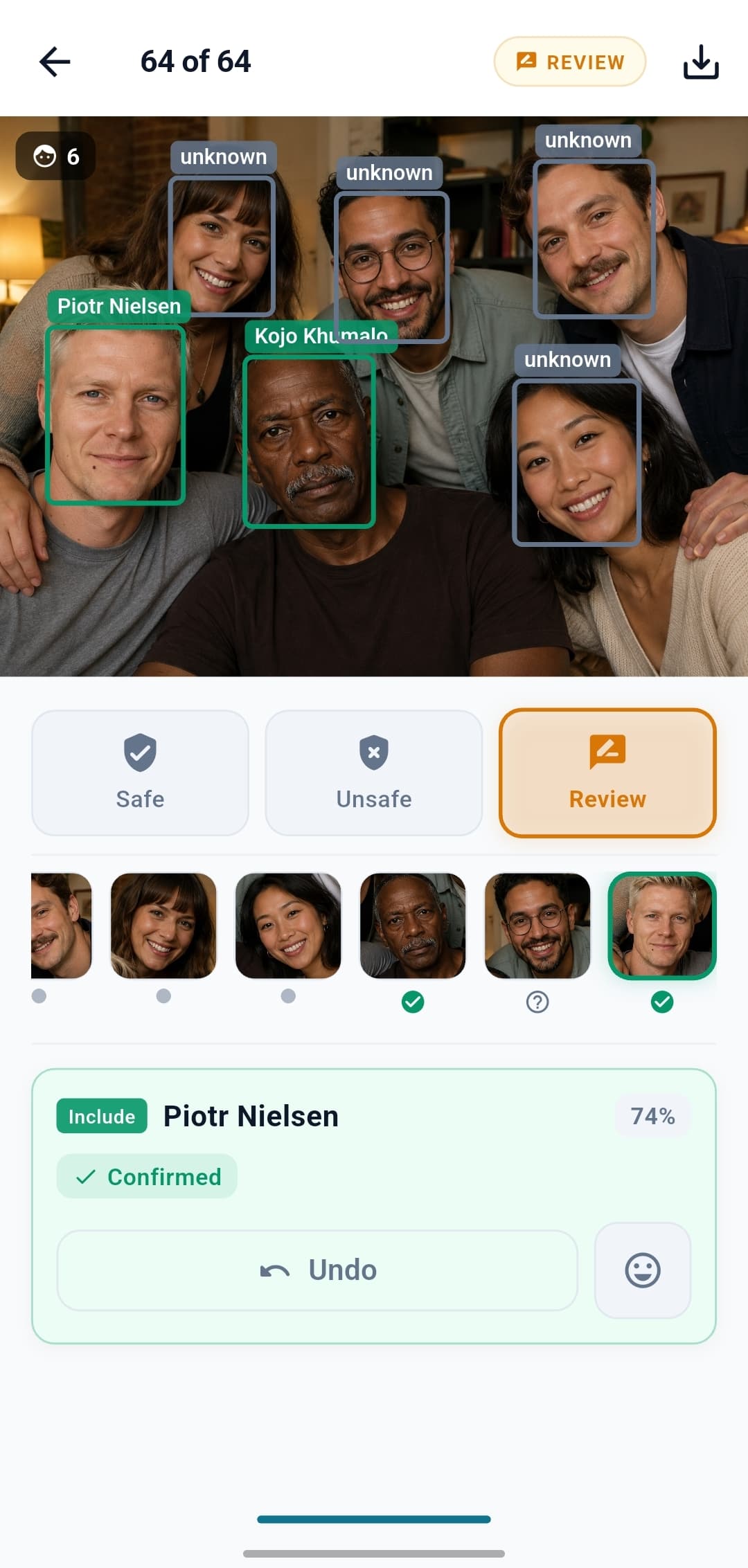
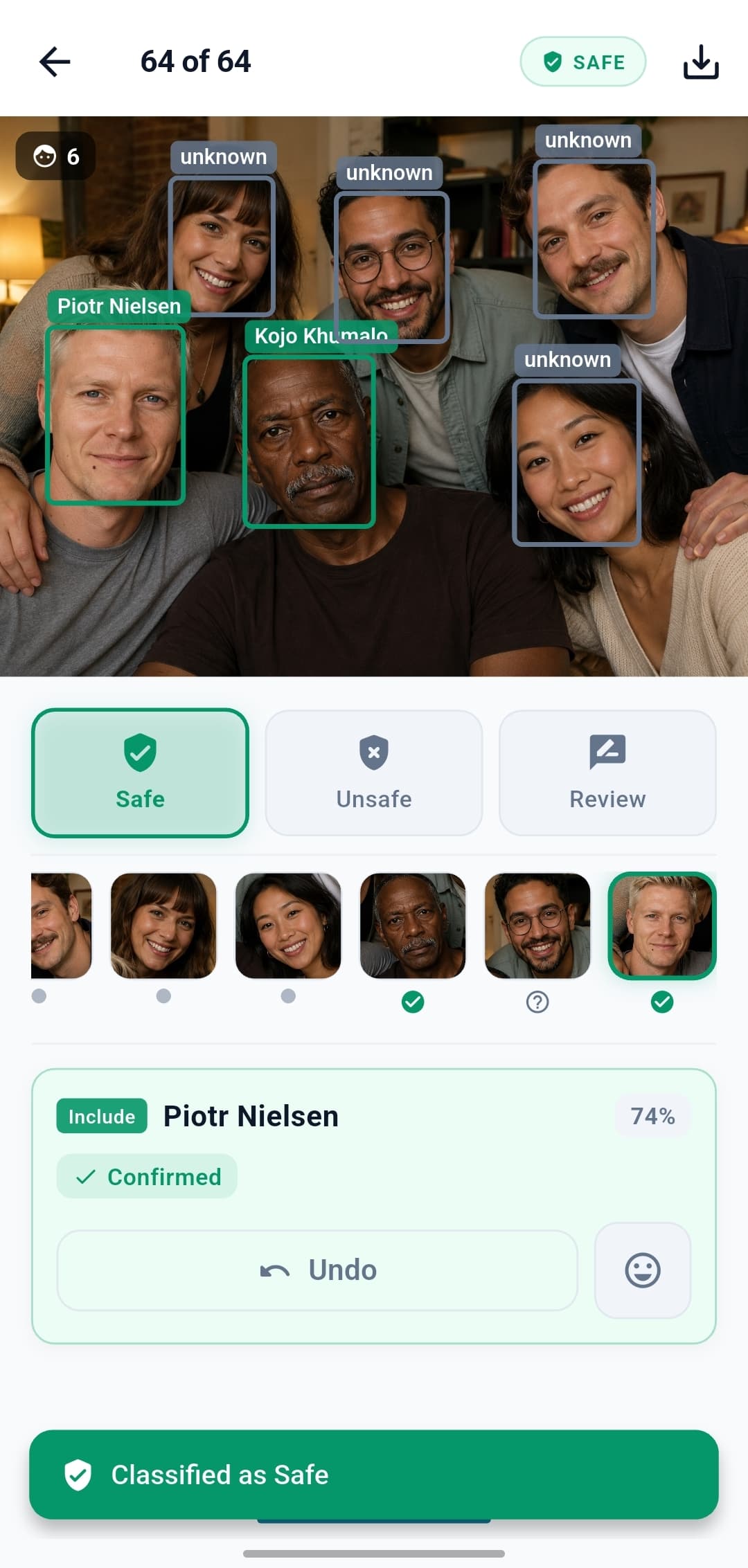
The app never auto-decides on uncertain matches. You do.
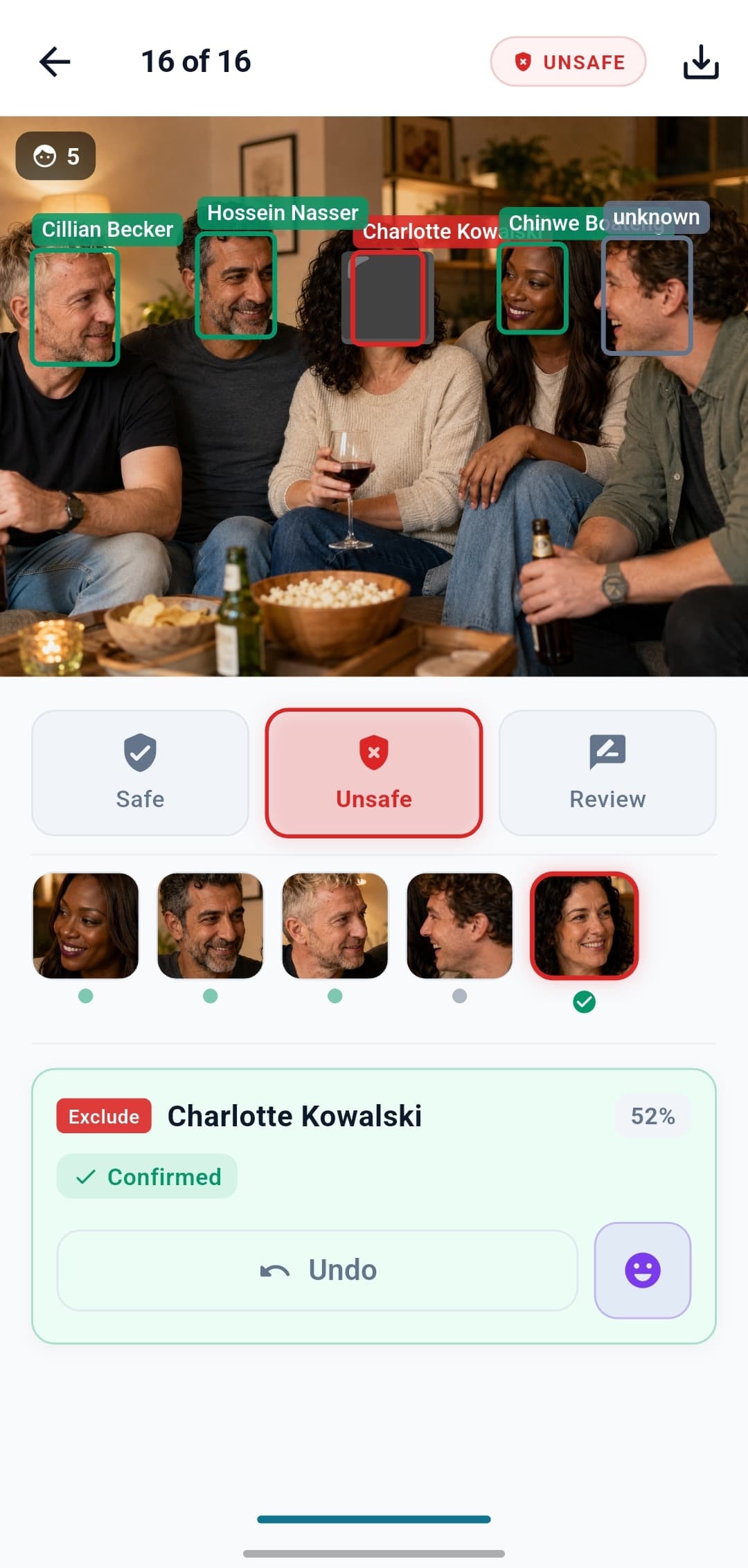
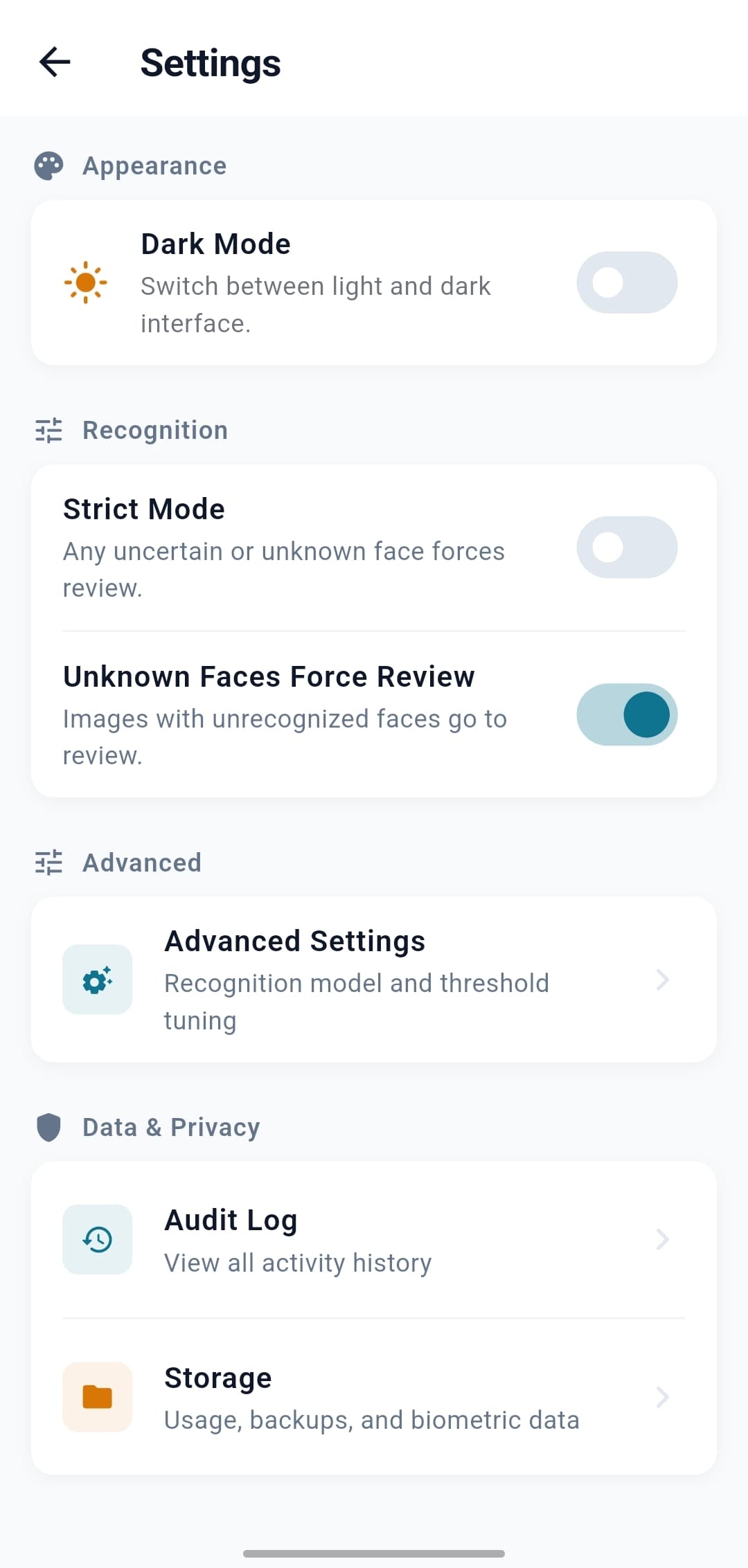
One-tap confirm - Approve a suggested match in a single tap. With feedback learning switched on (it lives in Advanced Settings and is off by default), confirming an uncertain match also refines that person's references for next time.
Gets better as you go - if you turn it on - Feedback learning is optional and off by default. Switch it on in Advanced Settings and your confirmations on uncertain matches feed back in to sharpen future recognition.
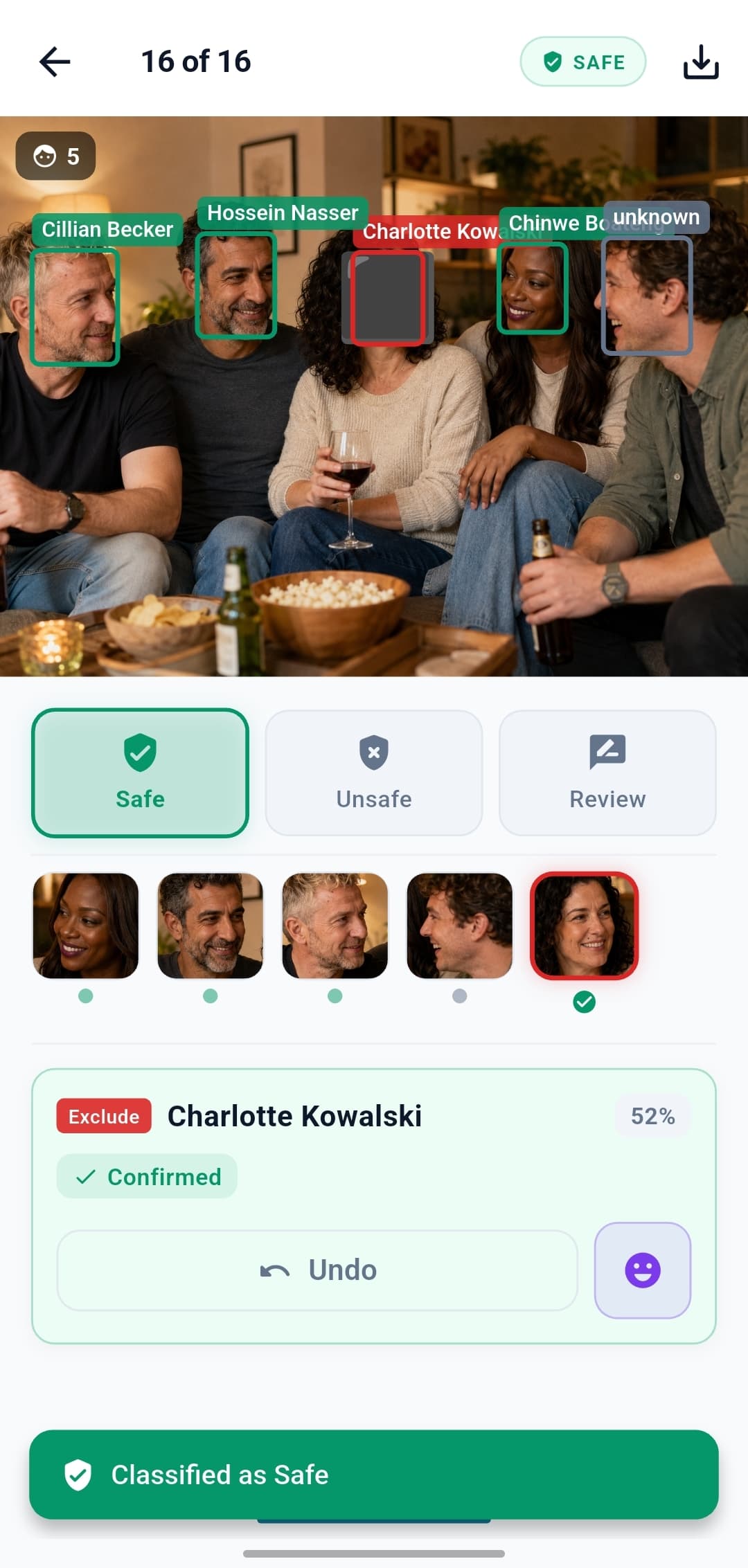
Manual override - Force Safe / Unsafe / Review whenever you disagree with the app.
Full undo - Every action is reversible.
Handling new faces
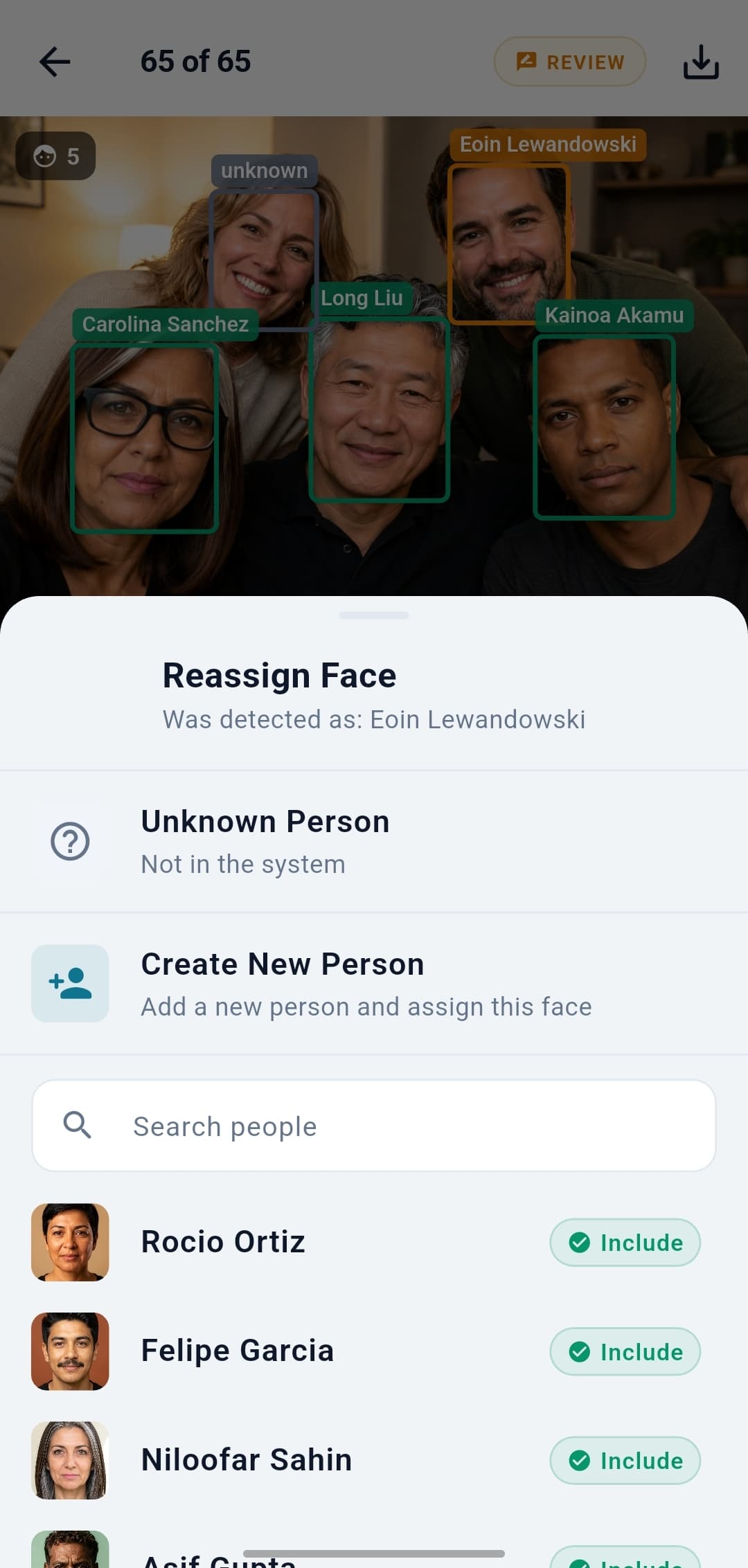
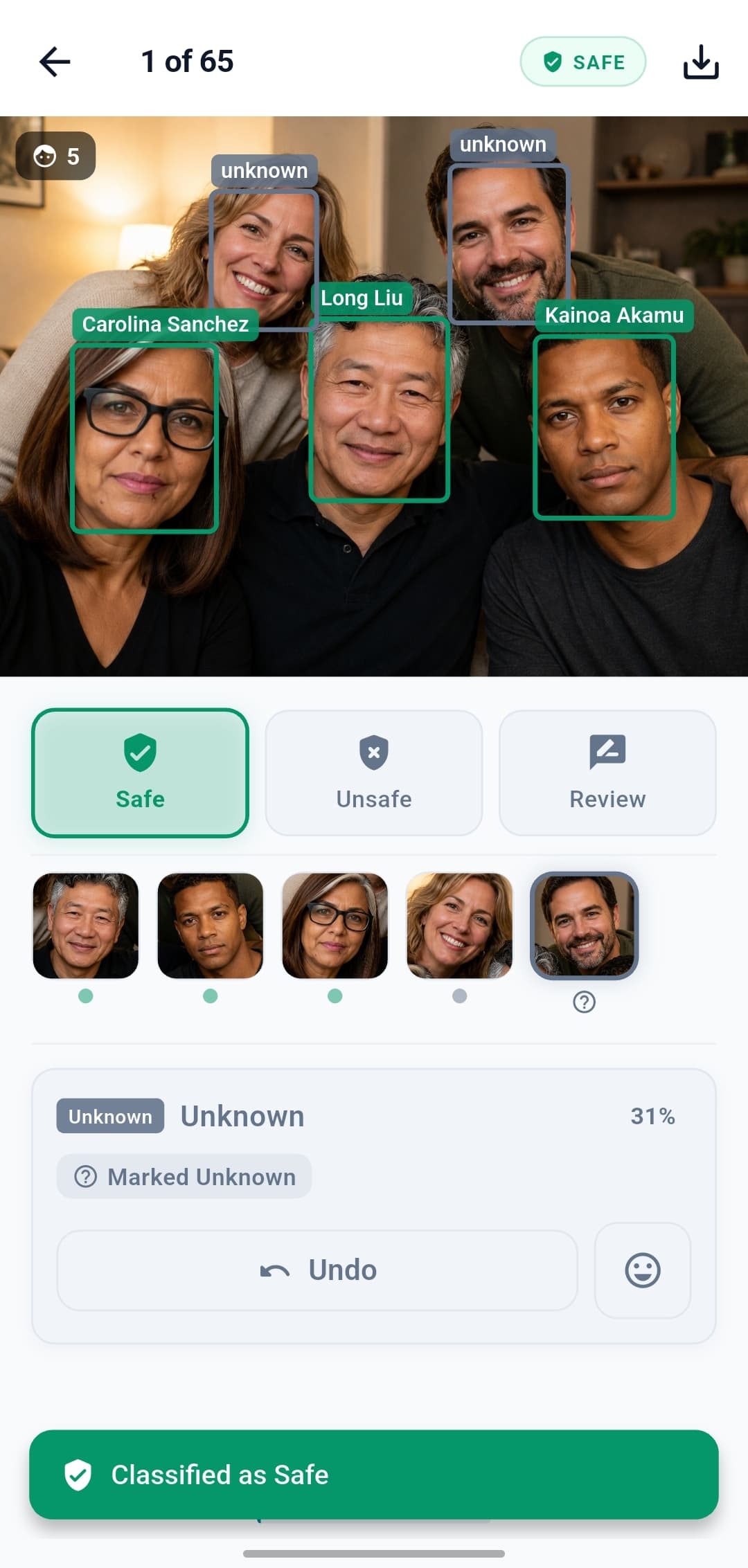
Strangers don't get mis-labelled. They get triaged.
Reassign - Pick from the existing roster if the suggestion is wrong.
Create on the fly - Turn a detected face into a brand-new enrolled person.
Mark as unknown - Tell the app it's nobody on file. Setting controls whether unknowns force review.
Stays private - Unknown faces stay on the phone until you decide what to do.
Consent can change. So can verdicts.
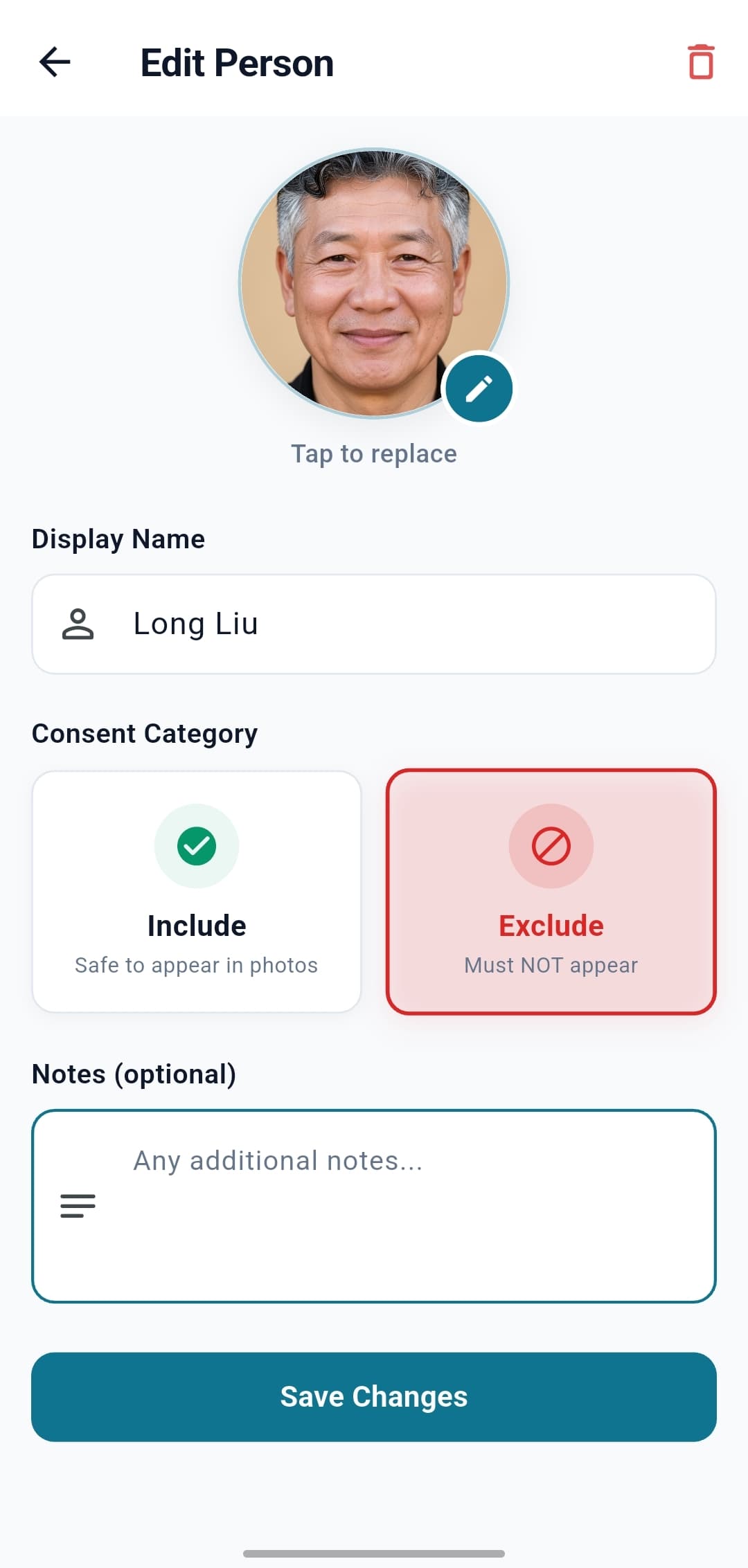
Flip a person's status - past photos catch up.
Include ↔ Exclude - One toggle changes how their face is treated everywhere.
Automatic re-classification - Past scans are recomputed instantly to reflect the new status.
No re-scanning required - Stored face data is re-scored, not re-extracted from images.
Audit trail - Every status change is timestamped and logged.
Cover faces, keep the moment
Hide non-consenting faces without losing the photo.
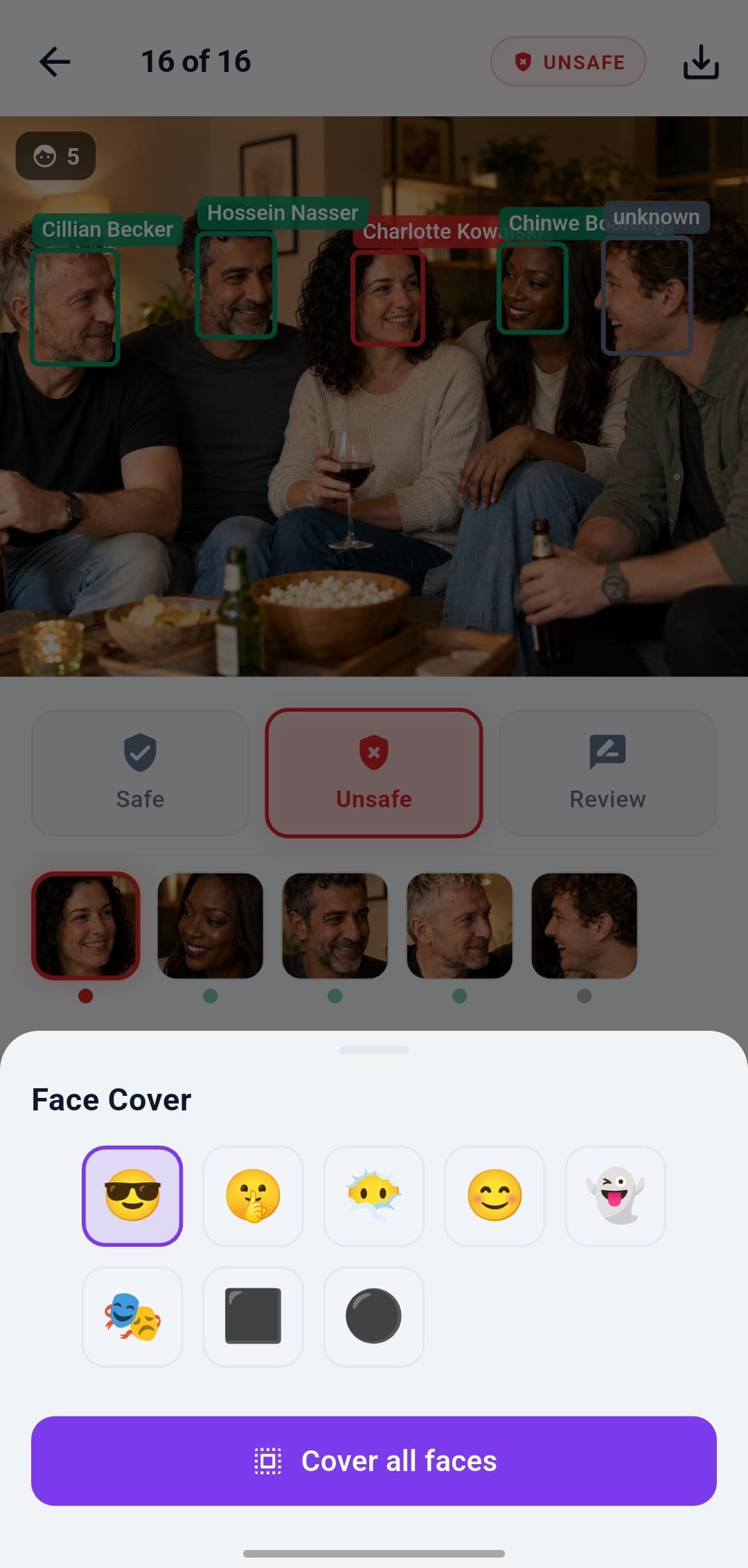
Blur by default - A soft Gaussian blur covers each face out of the box, with an adjustable strength slider.
Emoji option - Rather use a sticker? Switch any face to an emoji overlay instead - your school's tone, your call.
Originals untouched - The overlay is a separate image; the source file is never modified.
Cover all & publish - Obscure every detected face at once, then export the cleaned-up version to a feed or download folder.
Tune it to your tolerance
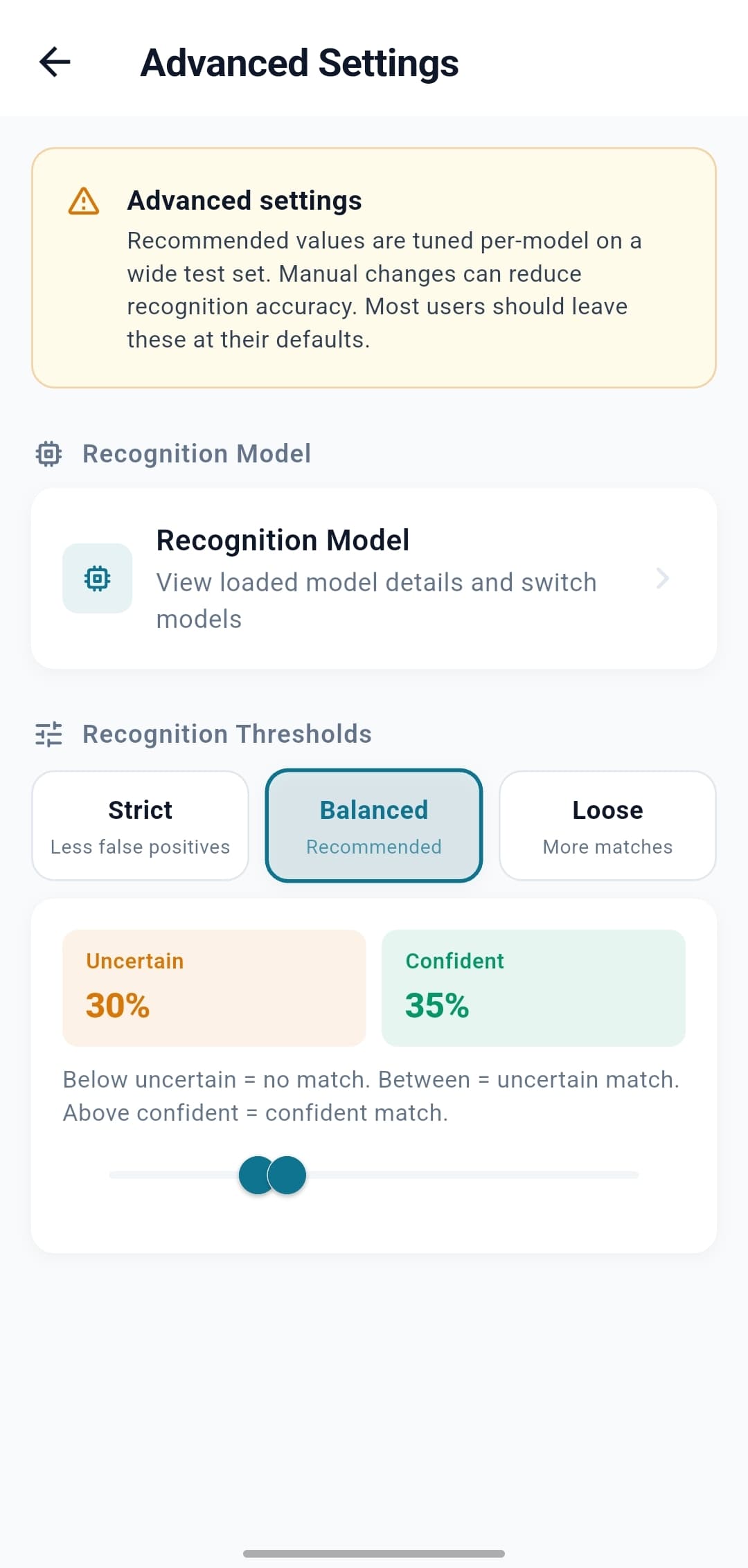
Decide how confident the app needs to be to call a match.
AuraFace v1 - ResNet100 + ArcFace head, Apache 2.0 - the only model cleared for commercial use, and the one bundled in the production build.
Confidence sliders - In plain English: how confident is 'definitely a match' versus 'probably'?
Presets - Strict, Balanced, or Loose, depending on whether you'd rather over-flag or under-flag.
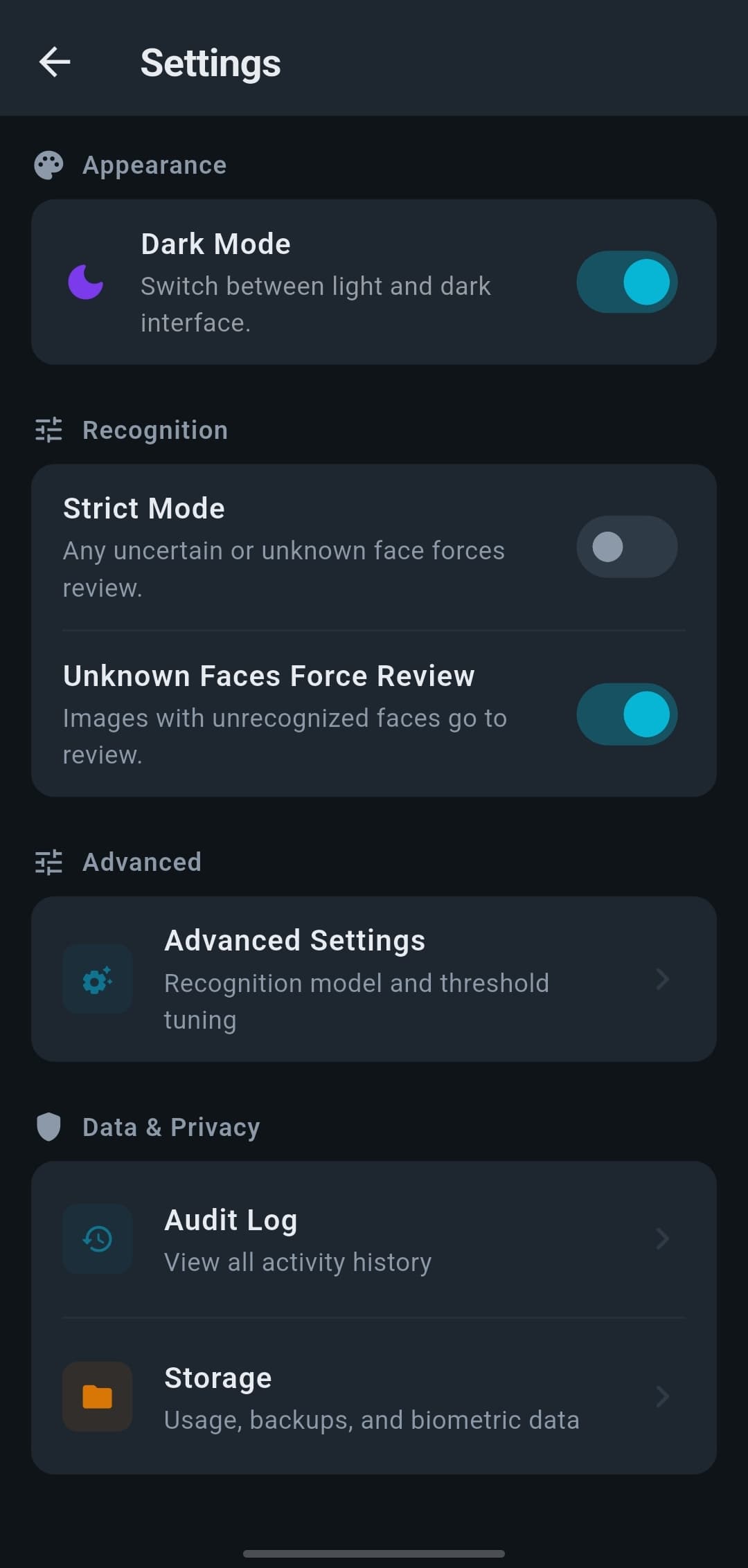
Strict Mode - When in doubt, send it to Review. No automatic clearing.
Accountability built in
Prove what happened. Manage what's stored.
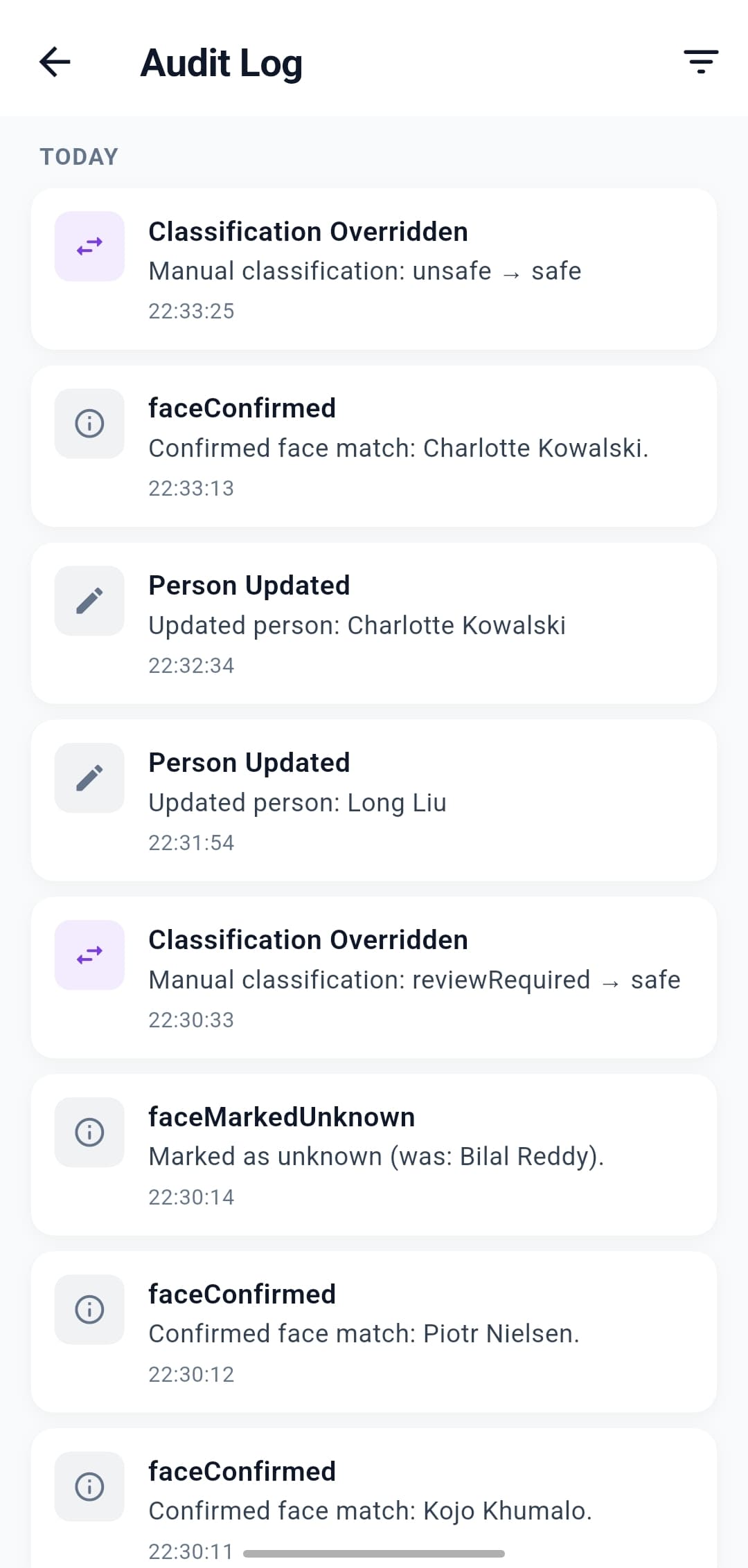
Full audit log - Every enrollment, classification, and override is recorded with a timestamp.
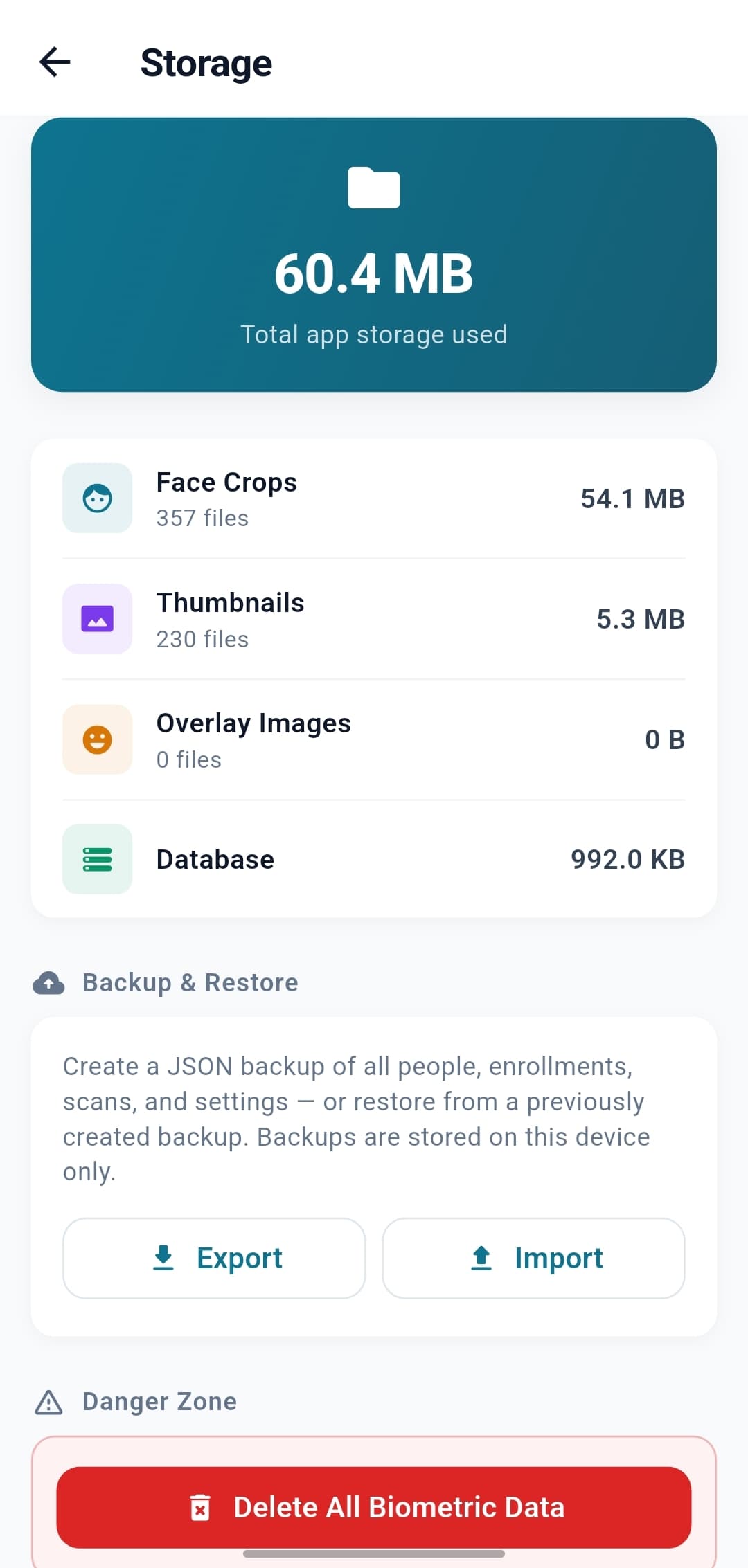
Storage transparency - See exactly what's on the device (face crops, thumbnails, overlays, database).
One-tap wipe - Delete all data — every profile, template, and scan — from a single screen, with a clear confirmation.
No biometric exports - The app creates no backup or export files of face data. Recovery is re-importing your roster package.
Polish that respects the work
A product that feels as considered as the problem.
Material 3 design - Modern, accessible, familiar.
Dark mode - Reduces eye fatigue during long review sessions.
Color-coded but not color-dependent - Icons and labels back up every color cue.
Sensible defaults - Most settings are right out of the box; you only touch what matters to you.
FAQ
Product questions, answered.
Does FaceGate run on iOS and Android?
Both. Android is often the more practical choice in operations - capable devices are cheaper and tend to fit existing workflows more easily - but the app runs on either.How does it avoid confusing similar-looking people?
Every detected face is sorted into a confident match, an uncertain match, or no match. Anything below the confident bar routes to human review rather than being asserted, and an ambiguity safeguard demotes any match that’s only marginally ahead of its runner-up - so genuine look-alikes go to a person, not a guess.Can the audit log be exported?
Yes - every enrolment, classification, override, and consent change exports as a CSV.Can FaceGate identify a face it was never enrolled with?
No. It only matches faces against the people you’ve enrolled. A face with no enrolled match is treated as unknown and routed to review - it is never assigned an identity. FaceGate can’t name a stranger, because it has nothing to match them against.
Want to put FaceGate in front of your team?
A 20-minute call is usually enough to know whether it fits.