K-12 schools
School photo consent screening.
Every newsletter, yearbook, website gallery, and social post can carry a child whose family has withdrawn consent. FaceGate is the check between the camera roll and publication - and it runs entirely on the school’s phone.
The check that usually happens at the end of a long day.
A school can take hundreds of photos at a single assembly or sports carnival. Some of them contain children whose families have asked that they not appear - in the newsletter, on the website, in the yearbook, or on the school’s social accounts.
The record of who has consented to what usually lives in spreadsheets and inboxes. The check before a photo goes out is usually a person, eyeballing a batch at the end of a long day.
And the edge cases are the ones that matter most: family-law arrangements where a child must not be locatable, cultural protocols such as Sorry Business, and children in out-of-home care. A single missed face can become a notifiable issue.
Between the camera roll and the newsletter.
A comms coordinator scans the day’s photos, lands a verdict per image, covers the faces that need covering, and ships the rest - in four steps.
Enrol the consent list - two categories do the work: Include (cleared to appear) and Exclude (must not appear).
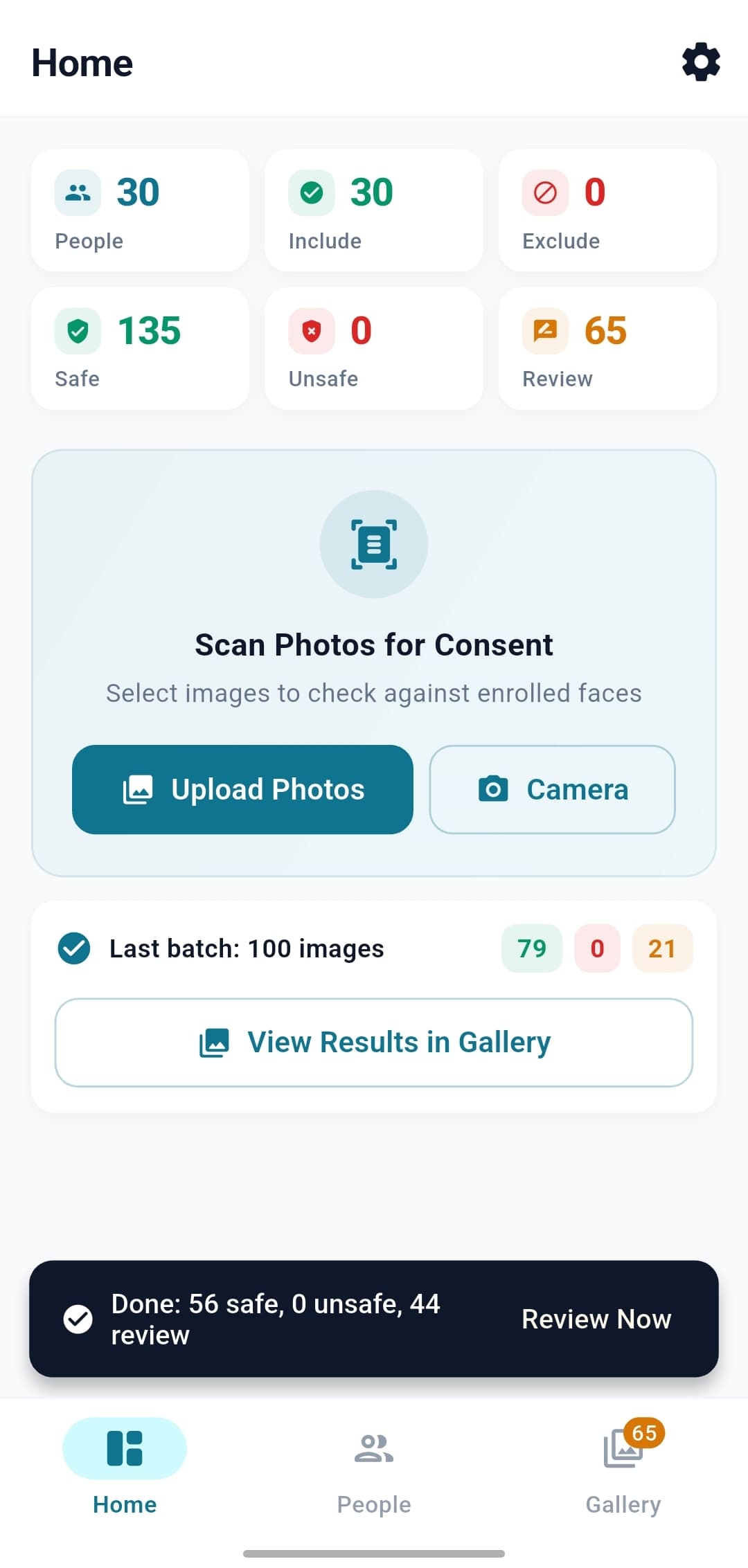
Scan a batch - select the day’s photos and the app returns Safe / Unsafe / Review counts.
Read the verdict - one clear decision per photo. Uncertain matches route to human review, never a silent auto-classification.
Cover & publish - blur or cover non-consenting faces without losing the photo, then export the cleaned version.
See every step in the full workflow walkthrough.
Assemblies and carnivals, handled with care
Detection runs in its most accurate mode for crowd shots, picking up smaller and further-away faces as well as the prominent ones. Small, partial, or side-on faces give weaker signals - so rather than guess, they route to human review instead of a silent identification.
The consent list never leaves the school’s phone.
Off-the-shelf face recognition usually answers a school the wrong way: send photos of children to a vendor’s servers and trust that vendor with biometric data. FaceGate doesn’t do that - the phone is the only computer involved.
For Western Australian state schools, the Privacy and Responsible Information Sharing (PRIS) Act took effect on 1 July 2026; on-device-only design keeps biometric data out of any central store. The full APP-by-APP posture is on the Privacy & Trust page, and the on-device vs cloud comparison explains why the location of the matching matters.
FAQ
School questions, answered.
How do we enrol a whole school - does this scale to hundreds of students?
You don’t enrol students by hand. Getting your cohort in is part of onboarding: FaceGate looks at how your school already holds student names and photos - a management system, a photo directory, a spreadsheet - and builds a one-off import that enrols them in bulk through the same pipeline as manual enrolment. A 2,000-student roster is a one-time import, not 2,000 entries. The recommended setup is to enrol the whole cohort, not just a do-not-publish list: it makes a later consent withdrawal apply retroactively to photos already scanned, and it means an unrecognised face is genuinely a stranger rather than an un-enrolled student. The in-app screen then handles ongoing changes - new enrolments, leavers, re-takes.Does it work on group shots like assemblies and sports carnivals?
Yes - detection runs in its most accurate mode, which picks up smaller and further-away faces as well as the prominent ones, and it handles many faces per image. Small, partial, or side-on faces produce weaker signals, so rather than guessing they fall to Review instead of a confident identification - and an ambiguity safeguard sends genuine look-alikes to a human too. Clearer, closer photos let it recognise more; for big crowd shots the workflow keeps a person in the loop by design.A family withdraws consent mid-year - what about photos already scanned?
Flip that student from Include to Exclude and every photo the app has already processed them in re-classifies in place - no re-scanning. This only works if they were enrolled, which is why enrolling the whole cohort up front matters.Does FaceGate replace the staff member who checks photos?
No - it does the first pass and defers the close calls. Photos with only confident, consented faces pass; a confident match to an excluded student is flagged; anything uncertain or unrecognised goes to human review. The publication decision is always the operator’s.
Bring FaceGate to your school.
A 20-minute call is usually enough to know whether it fits your publishing workflow.